Introduction
Google Minesweeper is a simple game that tests your logic, focus, and speed. You can play it directly through Google Search without installing special software. The goal is simple. Reveal safe squares while avoiding hidden mines.
At first, the board may look confusing. Numbers appear after you open safe squares. These numbers tell you how many mines touch that square. Once you understand this system, the game becomes much easier.
Many new players also ask how to mark dangerous squares. Learning how to use flags can make your games more organized. It can also help you solve difficult areas with less guessing.
This guide explains Google Minesweeper in simple language. You will learn the basic rules, flag controls, useful patterns, and speed tips. We will also look at the Google Minesweeper world record topic.
What Is Google Minesweeper?
Google Minesweeper is a browser-based version of the classic Minesweeper puzzle. It gives players a grid filled with hidden mines. Your job is to uncover every safe square.
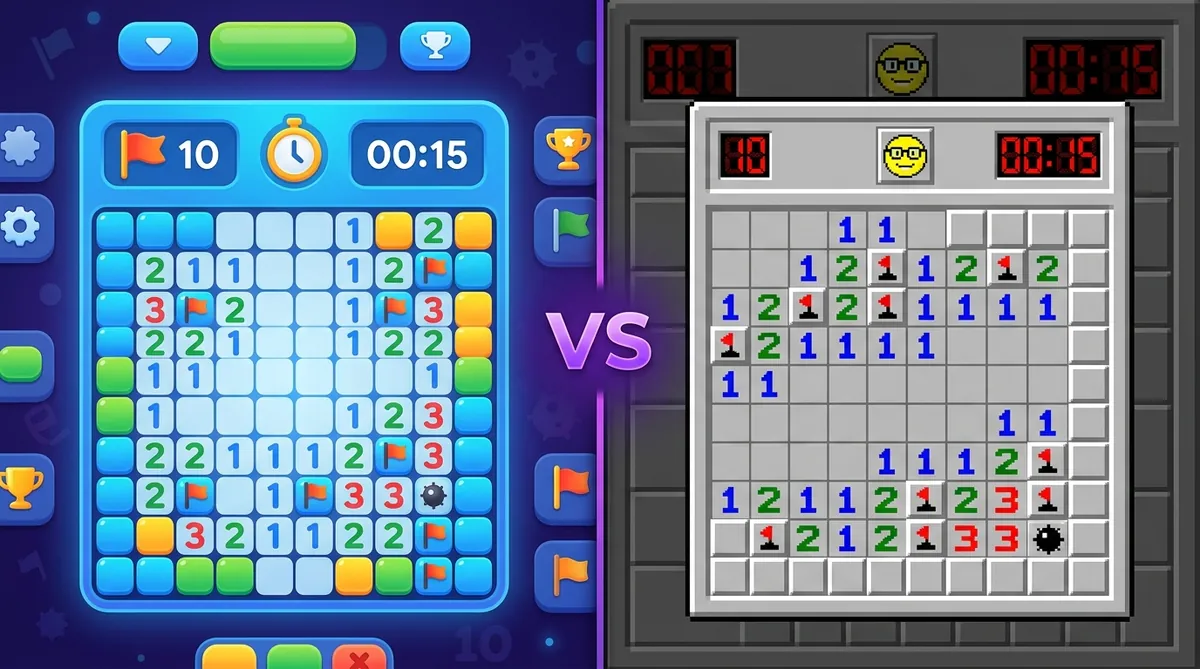
The game uses numbers as clues. A number shows how many mines are touching that square. A square can have up to eight nearby squares.
The game includes different difficulty levels. Easier boards are useful for beginners. Harder boards require faster thinking and stronger pattern recognition.
Google Minesweeper is popular because it is quick to start. You do not need a complicated setup. Search for the game, open it, and begin playing.
How Does Google Minesweeper Work?
The basic idea behind Google Minesweeper is very easy. You click a covered square to reveal it. If the square is safe, it shows a number or opens an empty area.
If you click a mine, you lose the game. This makes every move important.
Numbers provide the information needed to find hidden mines. For example, a number one means one nearby square contains a mine. A number two means two nearby squares contain mines.
You should study the surrounding covered squares before clicking. Good Minesweeper players do not simply click quickly. They use clues to make safe decisions.
How to Place a Flag in Google Minesweeper
If you want to know how to place a flag in Google Minesweeper, the process is simple on a computer. First, identify a square that you believe contains a mine.
On many desktop versions, you can use the right mouse button to mark that square. A flag appears on the selected cell. This tells you that you believe a mine is hiding there.
Flags are useful because they help you remember dangerous squares. They also make number clues easier to understand.
However, do not place flags randomly. A wrong flag can make later deductions confusing. Only mark a square when the surrounding clues support your decision.
How to Place Flags in Google Minesweeper on Mobile
Learning how to place flags in Google Minesweeper can be slightly different on a phone or tablet. Touch controls do not have a traditional right mouse button.
Depending on the version and device, flagging may use a long press or a dedicated flag control. Google Minesweeper can also behave differently across browser versions.
If you see a flag button, select it before touching the suspected mine. If your version uses touch gestures, try holding the square for a moment.
Always check the controls shown by your version. Mobile interfaces can change over time.
When Should You Use a Flag?
Flags work best when you have strong evidence. Do not flag a square simply because it looks suspicious.
Suppose a numbered square shows one. If it touches only one unopened square, that square must contain the mine. This is a perfect situation for a flag.
You can then use that flag as new information. Nearby numbers may become easier to solve.
Some experienced players use fewer flags during speed games. Competitive players often focus on fast deduction instead. Still, flags are very helpful when learning.
The best approach depends on your playing style. Beginners should use flags to organize their thoughts.
Easy Minesweeper Patterns to Learn
Several basic patterns can make Google Minesweeper much easier. The most important skill is comparing numbers with nearby covered squares.
For example, imagine a number one touching only one unknown square. That square is a mine.
Another useful situation happens when a number has already identified all its nearby mines. Any other covered squares around that number are safe.
These simple deductions can solve large sections of a board.
As you gain experience, you will recognize common patterns faster. Patterns such as 1-2-1 can become especially useful on difficult boards.
Do not rush into advanced techniques. Strong basic logic is more valuable than memorizing many complicated patterns.
How to Get Better at Google Minesweeper
Improving at Google Minesweeper takes practice. Start with the easiest difficulty and focus on accuracy.
Try to understand every move. When you lose, look back at the move that caused the problem. Ask whether the clues actually supported your decision.
You should also avoid clicking randomly when a logical move exists. Random clicks may sometimes work, but they do not build skill.
Speed should come later. First learn to solve boards correctly. Then work on reducing the time between decisions.
Keep your mouse movements controlled. Avoid unnecessary clicks. Over time, your eyes will recognize common number patterns much faster.
Tips for Faster Minesweeper Games
If you want faster times, efficiency becomes important. Try to scan several nearby numbers before making a move.
Do not stare at one square for too long. If the clues do not provide a clear answer, move to another part of the board.
Use flags when they help your deduction. Avoid placing unnecessary flags that create extra work.
Experienced players also use techniques such as chording. Chording can reveal surrounding safe squares when the correct number of mines has already been marked.
Fast play comes from good decisions rather than simply clicking quickly. A player who understands the board can move much faster than someone who clicks randomly.
Google Minesweeper World Record
The phrase Google Minesweeper world record needs some care because Google Minesweeper has its own competitive categories.
Speedrun.com currently lists separate Google Minesweeper leaderboards for Easy, Medium, and Hard. It also separates Web and Mobile categories. The current listing shows an Easy Web run of 9 seconds by extratoner, recorded five months before the latest crawl.
These records can change as new runs are submitted and verified. Therefore, there is not one permanent number that should be called the Google Minesweeper world record.
Classic Minesweeper also has separate competitive records. Those records should not automatically be confused with Google Minesweeper scores.
For example, Speedrun.com maintains a separate Minesweeper leaderboard for the classic game.
How Fast Do Expert Minesweeper Players Play?
Competitive Minesweeper can become extremely fast. Players learn common patterns and improve their board scanning skills.
The classic Expert board uses a 30-by-16 grid with 99 mines. Speedrunners can complete these boards in a surprisingly short time.
A verified Speedrun.com result lists Ze-En Ju with an official Expert time of 25.13 seconds. The run was submitted in 2023.
This shows how different competitive play can be from casual gaming.
You should not expect world-class times when starting. Focus on clean decisions first. Speed naturally improves as your pattern recognition becomes stronger.
Google Minesweeper vs Classic Minesweeper
Google Minesweeper is designed for quick browser play. Classic Minesweeper has a much deeper competitive history.
Both games use the same basic idea. Players reveal safe squares and identify hidden mines using number clues.
The main difference is the platform and specific game implementation. Competitive players often care about exact rules, board generation, timing, and verification.
Google Minesweeper is ideal for casual players who want a quick puzzle. Classic Minesweeper is more suitable for people interested in established speedrunning communities.
Both versions can help improve logical thinking. The best choice depends on whether you want casual fun or serious competition.
Common Mistakes Beginners Make
One common mistake is clicking too quickly. Players sometimes see a number and immediately choose a square without checking all nearby cells.
Another mistake is placing too many flags. A flag should represent a logical conclusion, not a random guess.
Some players also forget that numbers count mines in all surrounding directions. That includes diagonal squares.
A good habit is to pause briefly before uncertain moves. Look at every nearby number and compare the covered cells.
Remember that losing is part of learning. Each failed board can teach you something useful about number patterns and decision-making.
Simple Strategy for Winning More Games
Start by opening safe areas and looking for easy deductions. Empty spaces often reveal larger parts of the board.
Next, study numbers around covered cells. Identify squares that must contain mines.
Mark confirmed mines when flags are useful. Then use those marks to solve nearby numbers.
When no obvious move exists, search another area of the board. You may find a clue that unlocks the difficult section.
Over time, you will build a mental library of common patterns. This is one of the biggest differences between beginners and experienced players.
The goal is not simply to click faster. The goal is to make better decisions with less hesitation.
Google Minesweeper Details Table
| Detail | Information |
|---|---|
| Game | Google Minesweeper |
| Type | Puzzle game |
| Main skill | Logic and pattern recognition |
| Objective | Reveal safe squares and identify mines |
| Controls | Mouse or touch controls |
| Flag purpose | Mark suspected mines |
| Difficulty | Varies by available game mode |
| Platform | Web and mobile |
| Main challenge | Avoid hidden mines |
| Useful skills | Focus, memory, logic, and speed |
| Competitive play | Speedrun leaderboards exist |
| Best beginner tip | Study numbers before clicking |
Frequently Asked Questions
How do I place a flag in Google Minesweeper?
On desktop, right-clicking a suspected mine commonly places a flag. Mobile versions may use long press or a flag control. Check the controls shown on your device.
How do I place flags in Google Minesweeper on a phone?
Touch controls can vary. Look for a flag option or try a long press on the covered square. The exact control depends on the version and browser.
What does a number mean in Minesweeper?
A number tells you how many mines are touching that square. The count includes nearby horizontal, vertical, and diagonal squares.
What is the Google Minesweeper world record?
There is no single permanent record for every Google Minesweeper mode. Speedrun.com tracks separate Easy, Medium, and Hard categories. It also separates Web and Mobile results.
Can Minesweeper be solved without guessing?
Many boards can be solved through logic. However, some positions can create situations where the available information does not identify one safe choice.
How can I become faster at Minesweeper?
Practice common patterns, reduce unnecessary clicks, and improve your number recognition. Learn accuracy first. Speed will become easier with experience.
Conclusion
Google Minesweeper is easy to start but difficult to master. Its simple rules create a surprisingly deep puzzle experience.
Learning how to place a flag in Google Minesweeper can make your early games much easier. Flags help you mark suspected mines and organize your deductions.
As you improve, focus more on patterns and less on random clicking. Learn from mistakes and practice regularly. If speed interests you, explore competitive leaderboards and watch expert players.
Whether you play for two minutes or chase a personal record, Google Minesweeper rewards patience and smart thinking. Start with simple boards, learn the clues, and build your skills one game at a time.